> For the complete documentation index, see [llms.txt](https://docs.eesel.ai/llms.txt). Markdown versions of documentation pages are available by appending `.md` to page URLs; this page is available as [Markdown](https://docs.eesel.ai/automations-and-schedules/webhooks.md).

# Webhooks

Most automations run when something happens in a connected tool, or on a schedule. A **webhook automation** covers everything else: it gives you a unique URL, and any service that can send a web request (Zapier, Make, your own backend, a monitoring tool) can POST data to it. Your agent wakes up with that data and follows the automation's instructions.

Use it when the thing that should wake your agent lives somewhere eesel doesn't connect to directly, or when you want your own systems to hand work to your agent.

## Setting one up

{% stepper %}
{% step %}

### Ask for it in chat

Tell your agent what you want. It creates the automation and hands you the URL to paste into the other tool.

> "I want Zapier to send new orders to you. Summarise each one and flag anything unusual."

You can also build one yourself on your agent's **Automations** page: choose **When a webhook is received** as the trigger.

![The new automation editor with three ways an automation can run, the webhook option expanded to explain that the agent wakes whenever an external service POSTs a payload to the automation's unique URL](/files/i0Eu3TJPnEchytiJcL2o)
{% endstep %}

{% step %}

### Copy the URL

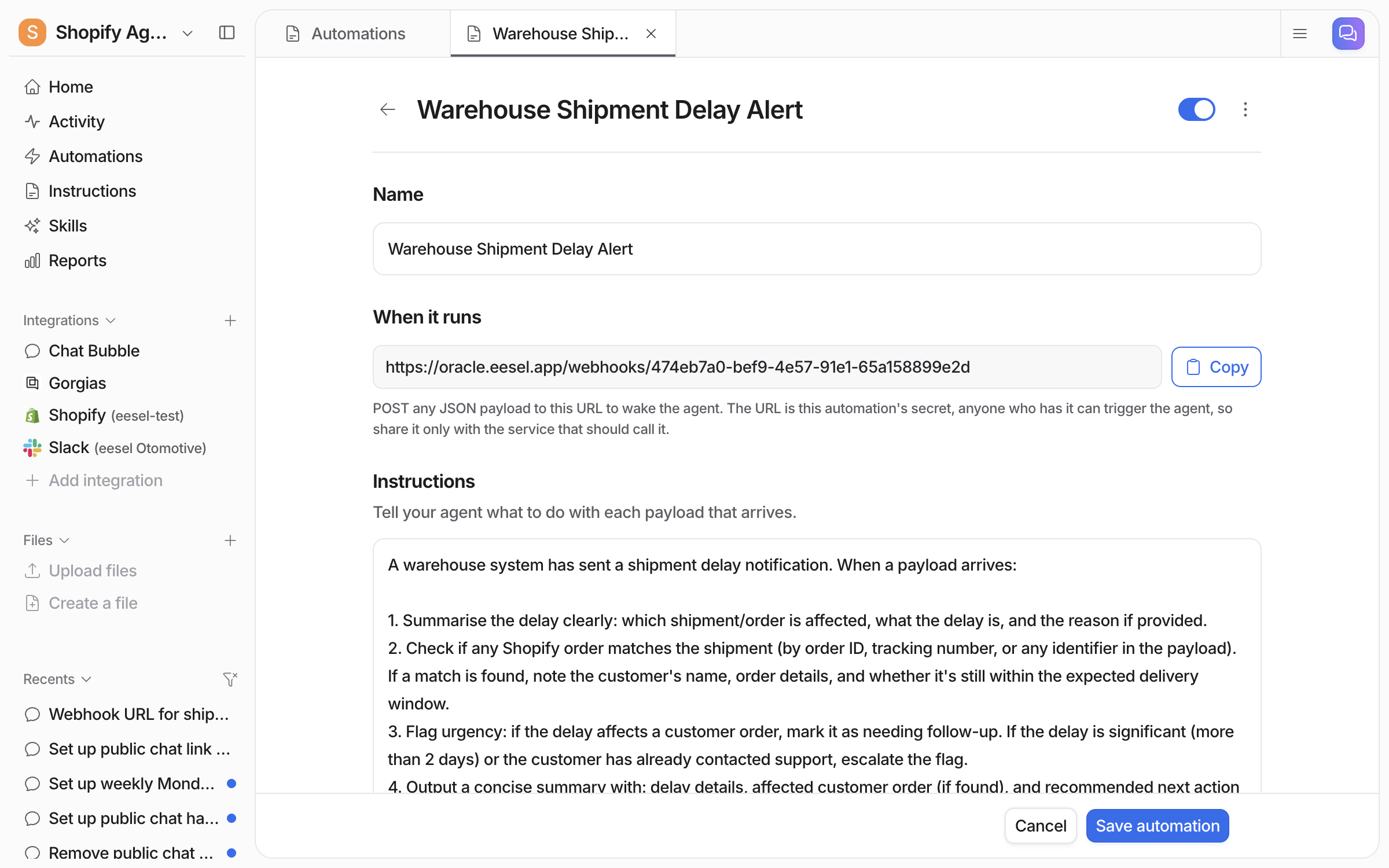
Saving the automation creates its URL. Open the automation any time to see it again.

Treat the URL like a password: anyone who has it can wake your agent, so share it only with the service that should call it. If it ever leaks, delete the automation and create a new one, and you have a fresh URL.

<figure><img src="/files/qT7oF2jtMx11fpxL7ZYq" alt="A saved webhook automation showing its unique URL with a Copy button, and instructions telling the agent to summarise each payload"><figcaption><p>The saved automation shows its URL with a copy button. The instructions below tell your agent what to do with whatever arrives.</p></figcaption></figure>
{% endstep %}

{% step %}

### Point the other tool at it

In Zapier that's a "Webhooks by Zapier" POST action; in your own code it's a plain HTTP POST. Send any JSON you like, and your agent reads all of it.

```
curl -X POST https://your-webhook-url \
  -H 'Content-Type: application/json' \
  -H 'X-Eesel-Event-Id: evt-88213' \
  -H 'X-Eesel-Reference: order-4711' \
  -H 'X-Eesel-Reference-Url: https://shop.example.com/admin/orders/4711' \
  -d '{"customer": "Sam", "message": "Order arrived damaged"}'
```

Send the two headers below whenever your tool can. Neither is required and nothing breaks without them, but together they are the difference between an Activity page you can read and a list of identical rows.
{% endstep %}
{% endstepper %}

## Tell eesel what each delivery is

Two headers, doing two different jobs.

| Header                  | What it is                                                                      | What it buys you                                                                        |
| ----------------------- | ------------------------------------------------------------------------------- | --------------------------------------------------------------------------------------- |
| `X-Eesel-Event-Id`      | Unique for **this delivery**, and the same value if you retry it                | eesel processes the event exactly once, however many times your tool sends it           |
| `X-Eesel-Reference`     | Stable for the **thing** the delivery is about: a conversation, ticket or order | Activity rows say which one they were about, instead of repeating the automation's name |
| `X-Eesel-Reference-Url` | Optional link to that thing in your own tool                                    | Turns the Activity row into a link straight back to it                                  |

The distinction matters when a single conversation sends several events: each one needs its **own** event id, while they all share the **same** reference. Reusing one event id across them would look like a retry, and eesel would process only the first.

If you can't set headers, a JSON body with an `event_id` or `idempotency_key` field still works for the deduplication half, exactly as before. Headers are the better option because they work for every kind of body: if you send form data or plain text rather than JSON, eesel keeps the body as-is for your agent to read, and a field inside it can't be used as an event id.

Without any of this, eesel falls back to comparing whole payloads within the same day, which catches most retries but can't tell two genuinely identical events apart.

## Watching it work

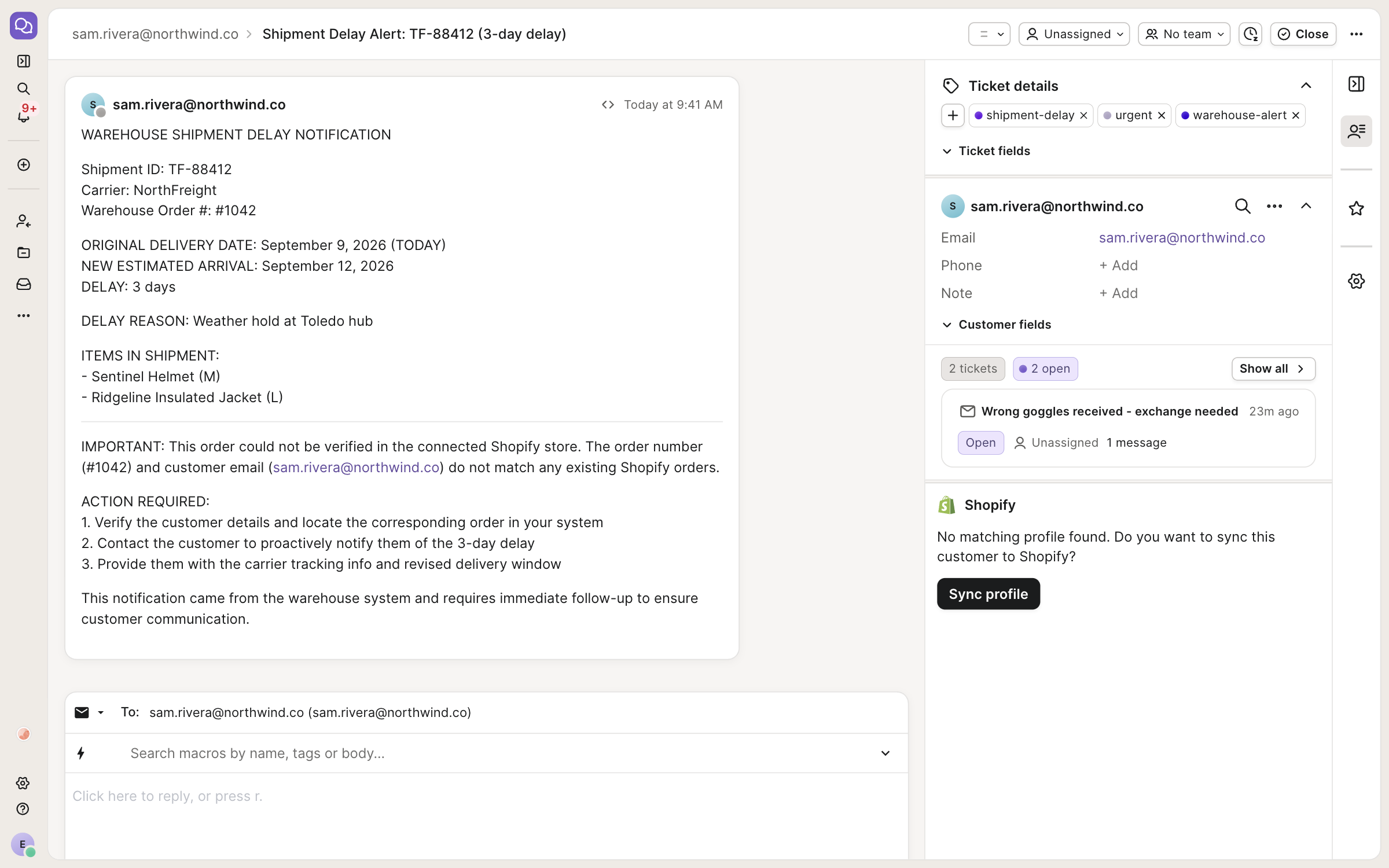
Every delivery shows up on your agent's **Activity** page like any other automation run: what arrived, what the agent did about it, and what it cost. Deliveries that sent a reference are labelled with it, so you can tell which order or conversation each run was about at a glance.

<figure><img src="/files/s4fmupqzpByBt0aLh3RS" alt="The Activity page with a webhook run open, showing the steps the agent took and its closing summary of the order it processed"><figcaption><p>Open a run to see exactly what the agent did with the payload.</p></figcaption></figure>

## Good to know

* **Pause instead of delete.** The toggle on the automation stops deliveries from waking your agent (callers get a polite "skipped" response). Deleting the automation retires its URL for good.
* **Edits are safe.** Changing the name or instructions never changes the URL, and the next delivery uses the new instructions.
* **It's protected.** Oversized payloads are rejected, duplicate deliveries are ignored, and bursts are asked to retry later, so a misbehaving sender can't run away with your usage.
* **Billing** works like other automation runs: each processed delivery is one run against your plan.


---

# Agent Instructions
This documentation is published with GitBook. GitBook is the documentation platform designed so that both humans and AI agents can read, navigate, and reason over technical content effectively. Learn more at gitbook.com.

## Querying This Documentation
If you need additional information that is not directly available in this page, you can query the documentation dynamically by asking a question.

Perform an HTTP GET request on the current page URL with the `ask` query parameter, and the optional `goal` query parameter:

```
GET https://docs.eesel.ai/automations-and-schedules/webhooks.md?ask=<question>&goal=<endgoal>
```

`ask` is the immediate question: it should be specific, self-contained, and written in natural language.
`goal` is optional and describes the broader end goal you are ultimately trying to accomplish on behalf of the user. GitBook uses it to tailor the answer towards what is most useful for that goal.

The response will contain a direct answer to the question and relevant excerpts and sources from the documentation.

Use this mechanism when the answer is not explicitly present in the current page, you need clarification or additional context, or you want to retrieve related documentation sections.