> For the complete documentation index, see [llms.txt](https://docs.eesel.ai/llms.txt). Markdown versions of documentation pages are available by appending `.md` to page URLs; this page is available as [Markdown](https://docs.eesel.ai/getting-started/what-is-eesel-ai.md).
# What is eesel AI?
What is eesel AI? An AI agent for customer support that works in your helpdesk, website chat, Slack and email, trained on your own help center and past tickets.
eesel AI is an AI agent for customer support and for the rest of your team. It works inside the tools you already use: your helpdesk, your website chat, Slack and email. It answers from your own help center, past tickets and documents.
You don't set it up like software. You brief it like a new teammate. Tell it in the dashboard chat what you want done, and it connects your tools, learns how your team answers, and starts on the work you point it at.
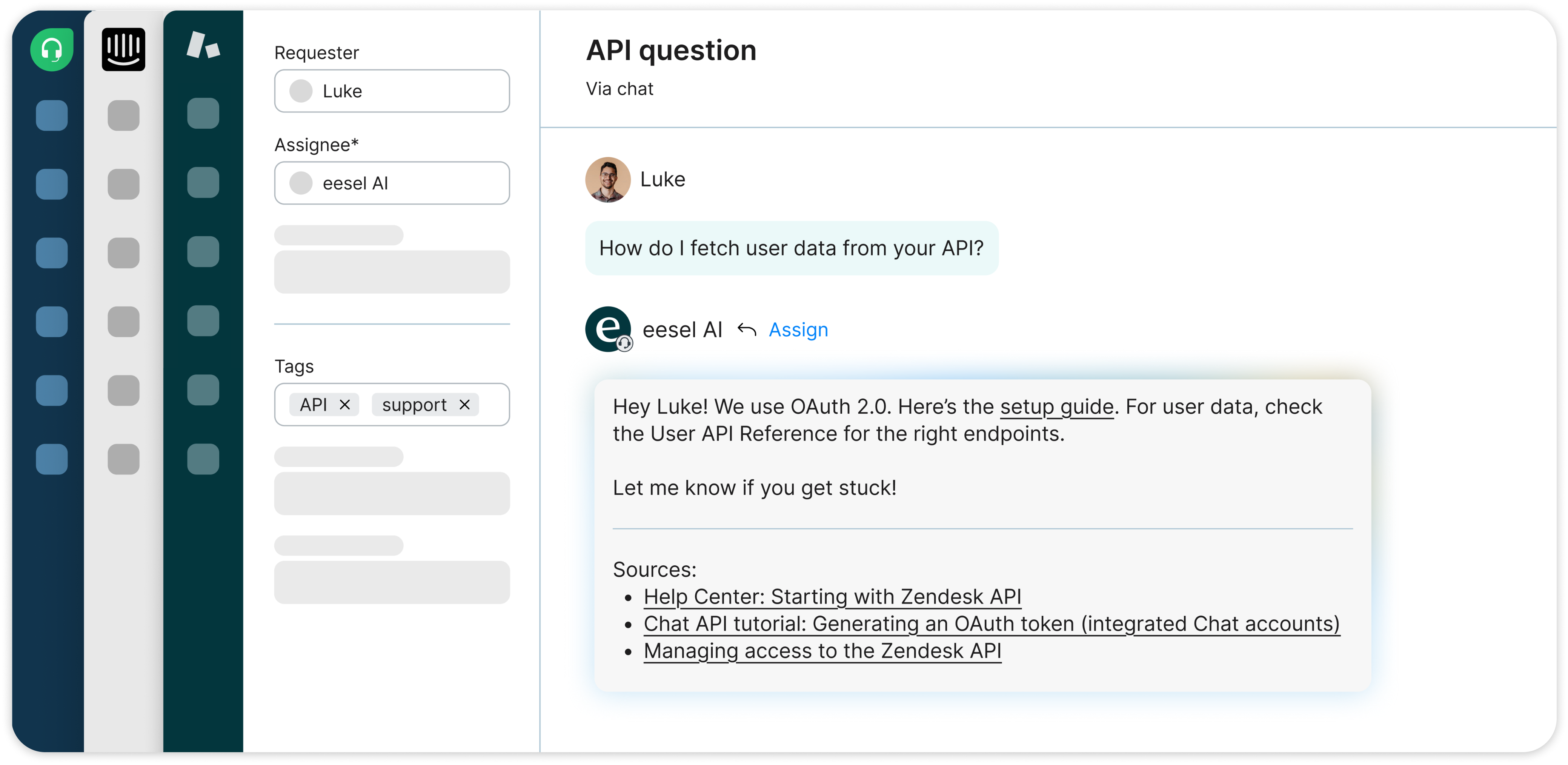
eesel AI working a ticket in Freshdesk, Intercom and Zendesk.
## What eesel AI does
| Job | What it does | Guide |
| ---------------------- | --------------------------------------------------------------------------------------------------------------------- | ---------------------------------------------------------- |
| **Customer support** | Drafts or sends ticket replies, and tags and routes tickets | [Helpdesk](/use-cases/helpdesk.md) |
| **Website chat** | Answers visitors in real time from your pages and help center, and helps shoppers find products and check orders | [Chat Bubble](/integrations/chat-surfaces/chat-bubble.md) |
| **Internal questions** | Answers your team's questions in Slack from your wiki and documents, and does work in your other apps from the thread | [Internal operations](/use-cases/internal-operations.md) |
| **E-commerce** | Looks up orders, products and stock in your store, and handles order questions before and after a sale | [E-commerce sales rep](/use-cases/e-commerce-sales-rep.md) |
| **Content** | Researches a topic and writes a finished blog post in your brand voice | [Content writing](/use-cases/content-writing.md) |
## Where it works
eesel AI connects to the tools your team already uses, so there is no new app to learn.
* **Helpdesks:** [Zendesk](/integrations/helpdesks/zendesk.md), [Freshdesk](/integrations/helpdesks/freshdesk.md), [Intercom](/integrations/helpdesks/intercom.md), [Gorgias](/integrations/helpdesks/gorgias.md), [Help Scout](/integrations/helpdesks/help-scout.md), [HubSpot](/integrations/helpdesks/hubspot.md), [Front](/integrations/helpdesks/front.md) and more. See [Helpdesks](/integrations/helpdesks.md).
* **Chat:** a [chat bubble](/integrations/chat-surfaces/chat-bubble.md), an [inline embed](/integrations/chat-surfaces/inline-chat.md) or a [public chat link](/integrations/chat-surfaces/public-chat.md) on your site, or your helpdesk's own live chat.
* **Team chat and email:** [Slack](/integrations/communication/slack.md), [Microsoft Teams](/integrations/communication/microsoft-teams.md), [Google Chat](/integrations/communication/google-chat.md), [Gmail](/integrations/communication/gmail.md), and an [email address](/integrations/communication/email.md) of its own.
* **Knowledge:** your [website](/integrations/knowledge/website.md), [Google Drive](/integrations/knowledge/google-drive.md), [Notion](/integrations/knowledge/notion.md), [Confluence](/integrations/knowledge/confluence.md) and [uploaded files](/integrations/knowledge/uploading-files.md).
* **Stores:** [Shopify](/integrations/e-commerce/shopify.md), [Magento](/integrations/e-commerce/magento.md) and more. See [E-commerce](/integrations/e-commerce.md).
* **AI assistants:** you can also work with it from [Claude](/apis-and-developer-resources/use-eesel-from-claude-and-other-assistants.md), [ChatGPT](/apis-and-developer-resources/use-eesel-from-chatgpt.md) or the [terminal](/apis-and-developer-resources/cli.md).
The full list is on the [integrations overview](/integrations/overview.md).
## How it learns your business
eesel AI reads what your team already has: your help center, macros, past tickets and documents. So it knows how your team answers before it handles a real conversation. Every answer links back to the source it used.
To change how it works, tell it in chat or edit its [instructions](/instructions-and-memory/instructions-and-memory.md). It remembers what you teach it.
## How you stay in control
You stay in control the whole way. Adjust your AI agent's access to knowledge and its action permissions to your liking. See [Actions and Approvals](/instructions-and-memory/actions-and-approvals.md).
Nothing runs until you turn on an [automation](/automations-and-schedules/automations-and-schedules.md), and every run shows up on your Activity page.
## How pricing works
You pay for the work your agent does as a monthly plan of credits, not for seats. A ticket or a chat is 1 credit, and there is no limit on integrations or agents. Every new workspace starts with a 7-day free trial with 100 credits. The plans are on the [Pricing](/pricing/overview.md) page.
## How to get started
1. Sign up and open the chat in your dashboard.
2. Tell it what you want done, for example "connect Zendesk and draft replies for my team to check".
3. It connects your tools and learns from them, then asks you to sign in where a connection needs it.
4. Try it on real questions in the dashboard chat before you turn on an automation.
Setting it up from Claude Code or another coding agent? See [Set up from Claude Code or the terminal](/getting-started/set-up-from-a-coding-agent.md).
## FAQ
What is eesel AI?
eesel AI is an AI agent for customer support and internal questions. It works in your helpdesk, website chat, Slack and email, and answers from your own help center, past tickets and documents.
Does eesel AI replace my helpdesk?
No. eesel AI works inside the helpdesk you already use, like another agent on your team. Your tickets, macros and workflows stay where they are.
What does eesel AI learn from?
Your help center, macros, past tickets, website, and documents in tools such as Google Drive, Notion and Confluence. It only reads the sources you connect.
Can eesel AI reply to customers on its own?
Yes, if you want it to. It can draft replies for a person to check, or send them itself, depending on how you set it up.
How much does eesel AI cost?
You pay for a monthly plan of credits, where a ticket or a chat is 1 credit, with no seat fees. See [Pricing](/pricing/overview.md) for the plans and the free trial.
Can I use eesel AI from ChatGPT or Claude?
Yes. You can talk to your eesel agent from ChatGPT, Claude or another AI assistant. See [Use eesel from ChatGPT](/apis-and-developer-resources/use-eesel-from-chatgpt.md) and [Use eesel from Claude and other assistants](/apis-and-developer-resources/use-eesel-from-claude-and-other-assistants.md).
## Related pages
* [Welcome to eesel](/getting-started/readme.md) to connect your first app
* [Integrations overview](/integrations/overview.md) for every tool eesel works with
* [Pricing](/pricing/overview.md) for rates and the free trial
* [FAQ](/support/faq.md) for more common questions
---
# Agent Instructions
This documentation is published with GitBook. GitBook is the documentation platform designed so that both humans and AI agents can read, navigate, and reason over technical content effectively. Learn more at gitbook.com.
## Querying This Documentation
If you need additional information that is not directly available in this page, you can query the documentation by asking a question.
Perform an HTTP GET request on the following URL with the `ask` and `goal` query parameters:
```
GET https://docs.eesel.ai/getting-started/what-is-eesel-ai.md?ask=&goal=
```
`ask` is the immediate question: it should be specific, self-contained, and written in natural language.
`goal` is what the user is ultimately trying to achieve, the reason they need the answer. Sharing it helps GitBook give you a better, more relevant answer. A goal is most helpful when it describes the outcome the user wants rather than restating the question. For example, with `ask=how do I create an API token`, a goal like `automate deployments from our CI pipeline` lets GitBook tailor the answer to that use case.
The response will contain a direct answer to the question and relevant excerpts and sources from the documentation.
Use this mechanism when the answer is not explicitly present in the current page, you need clarification or additional context, or you want to retrieve related documentation sections.