> For the complete documentation index, see [llms.txt](https://docs.eesel.ai/llms.txt). Markdown versions of documentation pages are available by appending `.md` to page URLs; this page is available as [Markdown](https://docs.eesel.ai/legacy/integrations/picqer.md).
# Picqer
Integrate Picqer actions with your AI bot
Picqer is a comprehensive warehouse management system that handles inventory, order fulfillment, and shipping operations. This integration connects your Picqer warehouse to the AI assistant, enabling automated inventory management, order tracking, and fulfillment operations.
## Overview
The Picqer integration provides AI-powered tools to:
* Search and manage product inventory
* Track order fulfillment and shipping
* Update shipping addresses and order details
* Process returns and refunds
* Manage customer orders and history
## Getting Started
### Prerequisites
Before setting up the Picqer integration, ensure you have:
* A Picqer account with admin access
* API key with appropriate permissions
* Your Picqer instance URL
### Setup Process
1. **Log in to your Picqer admin panel**
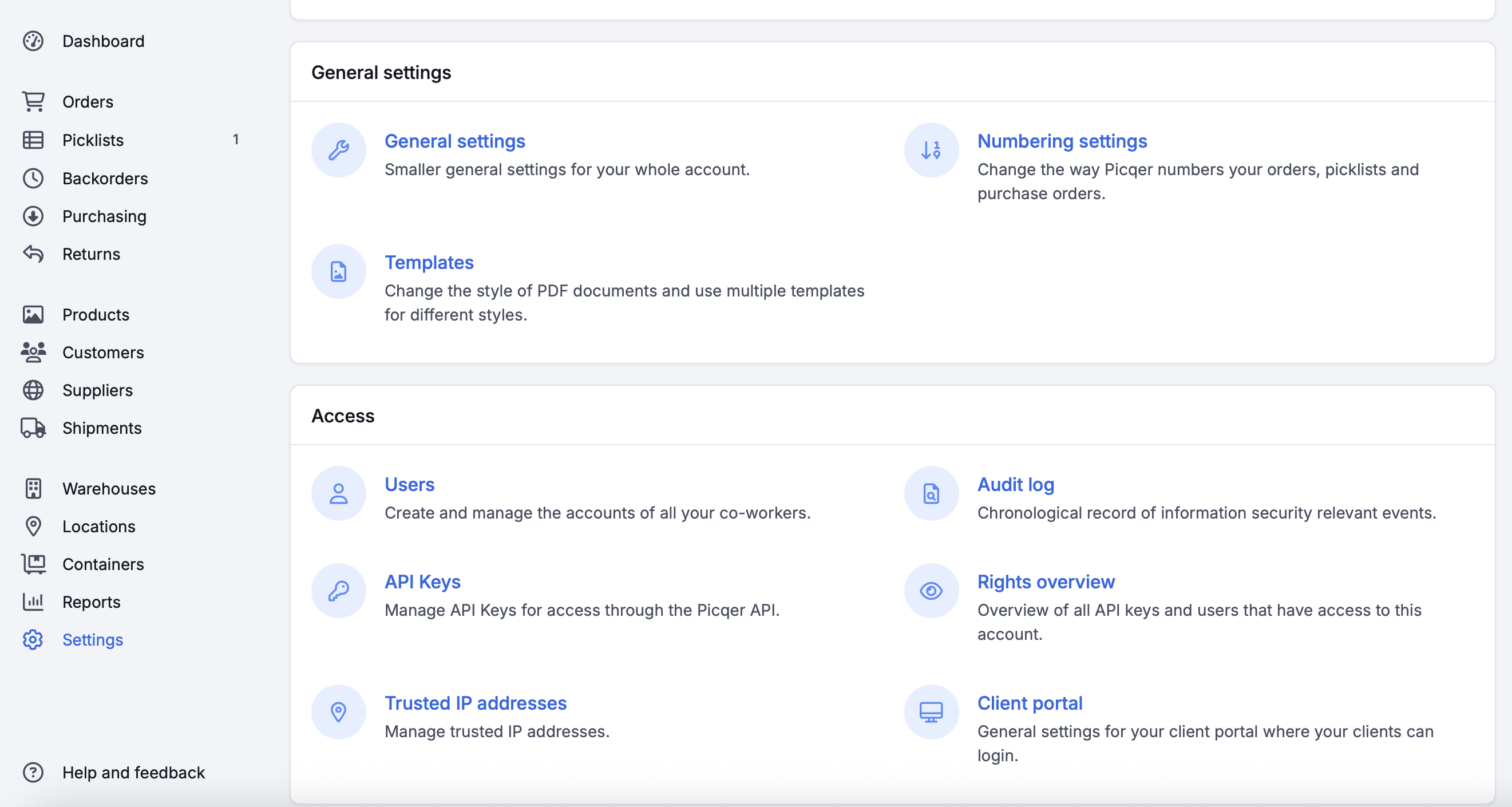
2. **Navigate to Settings > API Keys**
3. **Generate a new API key**
4. **Note your API key** and instance URL
### Configuration
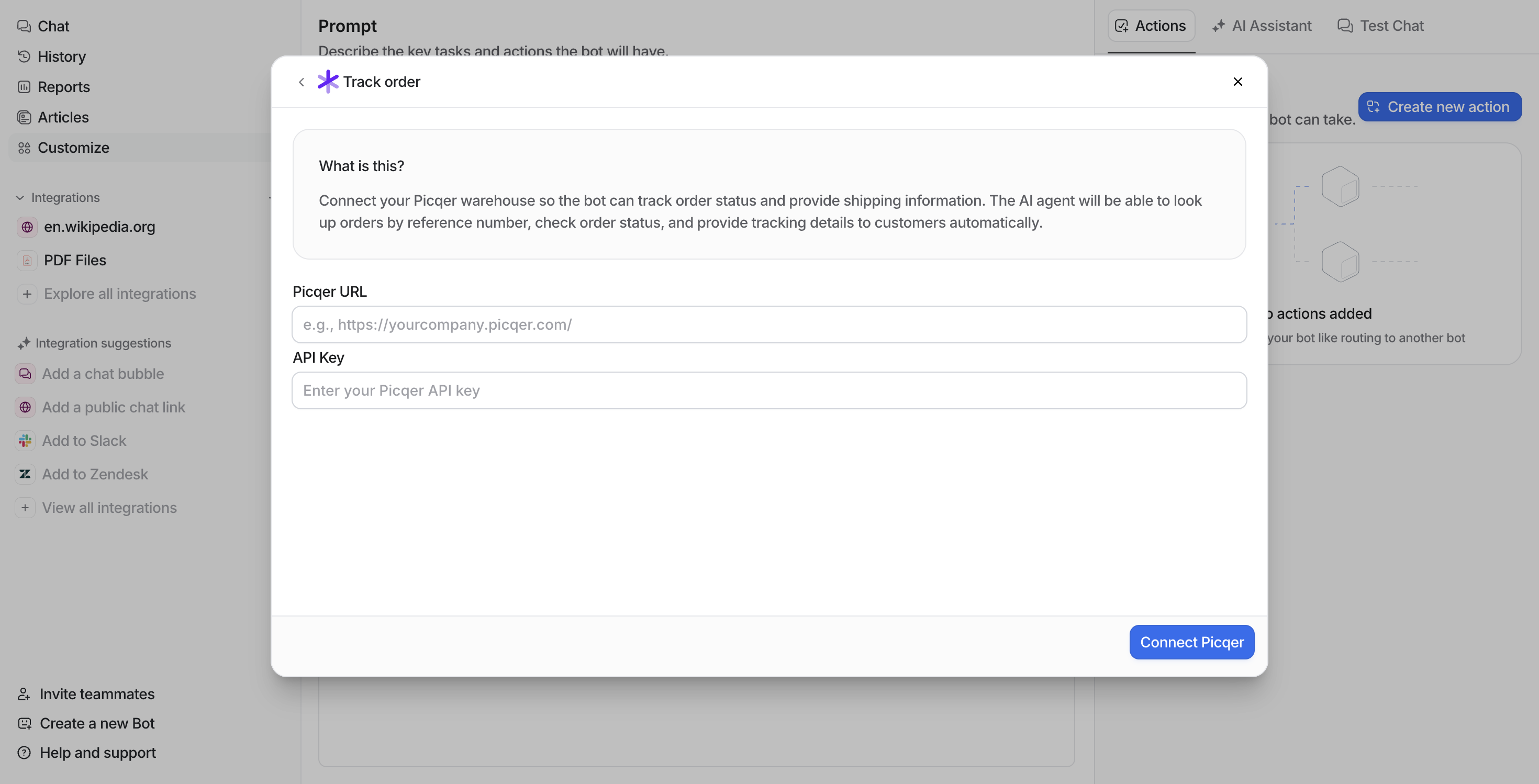
In your workspace integration settings, provide:
* **API Key**: Your Picqer API key
* **Picqer URL**: Your instance URL (e.g., `https://yourcompany.picqer.com`)
## Available Actions
### Product Management
#### Search Products
Find products in your warehouse by name.
**Use Cases:**
* Product availability checking
**Example:**
```
Search for product "Headphones"
```
**Features:**
* Searches both product catalog and order history
* Shows stock levels
* Displays pricing and product details
### Order Management
#### Track Orders
Get comprehensive tracking information for orders in your warehouse.
**Use Cases:**
* Customer support for "Where is my order?" inquiries
* Order status verification
* Shipping and delivery tracking
* Fulfillment progress monitoring
**Example:**
```
Track order #O12345 or order 12345
```
**Features:**
* Shows order status and processing timeline
* Displays tracking numbers and shipping carriers
* Provides estimated delivery information
### Order Modifications
#### Update Shipping Address
Update the delivery address for unshipped orders after email verification.
**Use Cases:**
* Customer address change requests
* Delivery address corrections
* Shipping to alternative locations
* Address validation and updates
**Example:**
```
Update shipping address for order #O12345
```
**Address Format:**
* deliveryname
* deliverycontactname
* deliveryaddress
* deliveryaddress2
* deliveryzipcode
* deliverycity
* deliveryregion
* deliverycountry
* full\_delivery\_address
#### Cancel Orders
Cancel orders that haven't been shipped yet.
**Use Cases:**
* Customer-requested cancellations
* Inventory issues
* Payment problems
* Order errors
**Example:**
```
Cancel order #O12345 due to customer request
```
### Returns and Refunds
#### Process Refunds
Handle returns and refunds for orders using Picqer's Returns API.
**Use Cases:**
* Customer returns processing
* Product defect refunds
* Order cancellation refunds
* Partial refunds for damaged items
**Example:**
```
Process refund for order #O12345, amount €50.00, reason: damaged product
```
**Features:**
* Automatic return creation
* Configurable return status and reason
* Full or partial refund amounts
* Integration with order management
## Warehouse Operations
### Inventory Management
* **Stock Levels**: Monitor inventory
* **Reserved Stock**: Track items reserved for pending orders
* **Free Stock**: View available inventory for new orders
* **Product Search**: Find products by name, SKU, or description
### Order Fulfillment
* **Order Processing**: Track orders from receipt to shipment
* **Shipping Management**: Handle address updates and shipping labels
* **Tracking Integration**: Connect with shipping carriers for delivery updates
* **Return Processing**: Manage returns and refunds
## Troubleshooting
### Common Issues
#### Order Not Found
* **Solution**: Try different order ID formats (with/without "O" prefix)
* **Check**: Verify the order exists in your Picqer system
#### API Authentication Errors
* **Solution**: Verify your API key is correct and has proper permissions
* **Check**: Confirm your Picqer URL is accurate and accessible
#### Address Update Failures
* **Solution**: Some Picqer instances don't support API-based address updates
* **Check**: Use the manual update process in the Picqer interface
#### Refund Processing Issues
* **Solution**: Check if the order is eligible for refunds
* **Check**: Verify return status and reason IDs are correct
## Related Integrations
* **Magento**: E-commerce platform integration
* **Shipping Carriers**: Delivery and tracking services
* **Payment Systems**: Refund and payment processing
* **Inventory Systems**: Stock management and monitoring
---
# Agent Instructions
This documentation is published with GitBook. GitBook is the documentation platform designed so that both humans and AI agents can read, navigate, and reason over technical content effectively. Learn more at gitbook.com.
## Querying This Documentation
If you need additional information that is not directly available in this page, you can query the documentation dynamically by asking a question.
Perform an HTTP GET request on the current page URL with the `ask` query parameter, and the optional `goal` query parameter:
```
GET https://docs.eesel.ai/legacy/integrations/picqer.md?ask=&goal=
```
`ask` is the immediate question: it should be specific, self-contained, and written in natural language.
`goal` is optional and describes the broader end goal you are ultimately trying to accomplish on behalf of the user. GitBook uses it to tailor the answer towards what is most useful for that goal.
The response will contain a direct answer to the question and relevant excerpts and sources from the documentation.
Use this mechanism when the answer is not explicitly present in the current page, you need clarification or additional context, or you want to retrieve related documentation sections.