> For the complete documentation index, see [llms.txt](https://docs.eesel.ai/llms.txt). Markdown versions of documentation pages are available by appending `.md` to page URLs; this page is available as [Markdown](https://docs.eesel.ai/legacy/products/ai-agent.md).
# AI Agent
How to set up eesel AI as an AI Agent
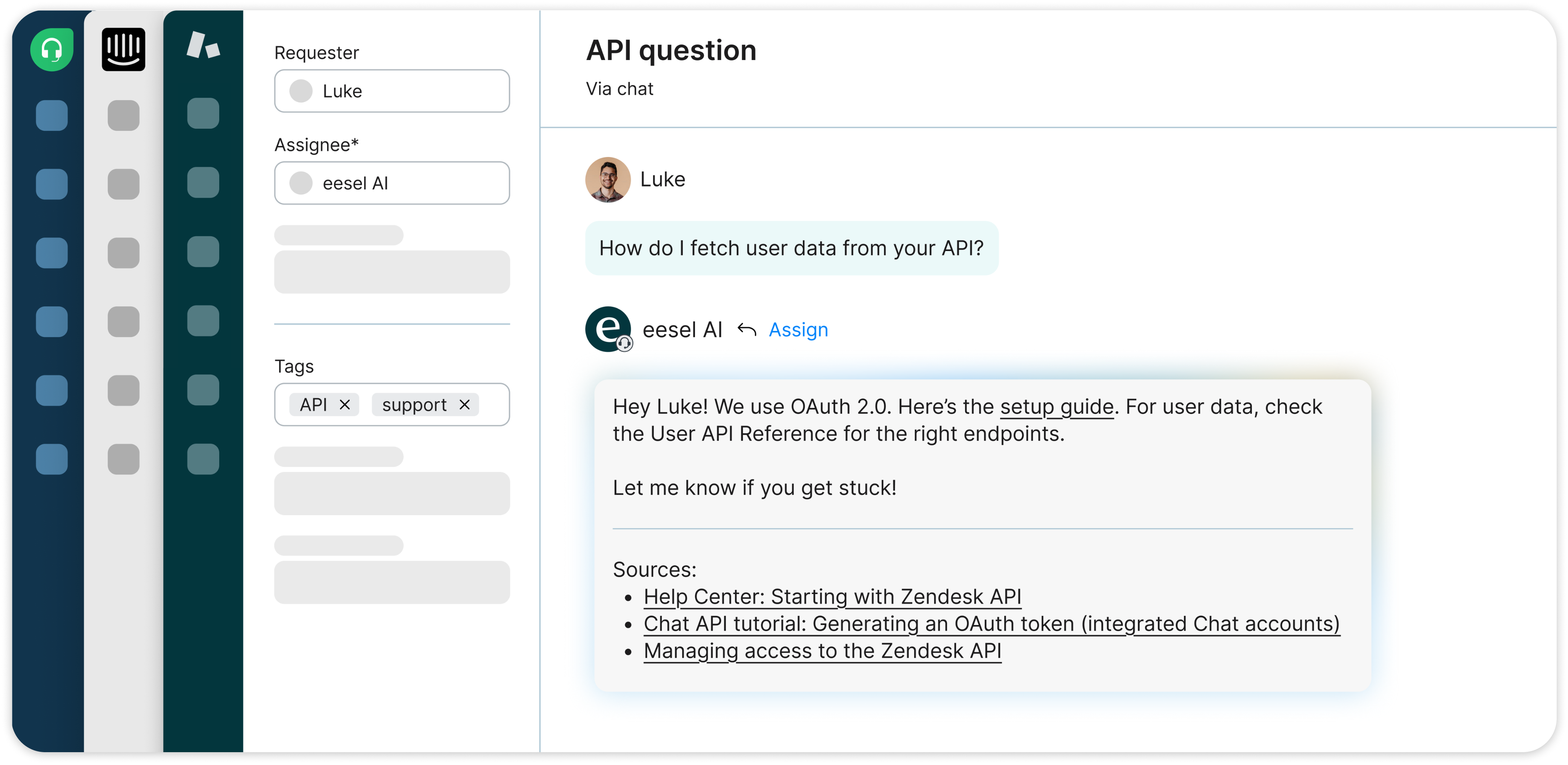
eesel AI plugs into Zendesk, Freshdesk, Jira or other help desk tools, learns from your past replies and other docs, and starts handling your frontline support. You can:
* Automatically handle frontline support
* Take actions across your platforms to automate your workflow
* Escalate to your agents
You can check out each integration [here](broken://pages/Kz5HLYgSs2fqeDtZAQxA).
## Setting up AI Agent
1. **Create** an eesel AI account
2. **Create an AI bot** and start training it on your knowledge
1. Add your help center, Confluence pages, website, and more
3. Connect your **help desk domain**
1. Optional: [train on past tickets](/legacy/getting-started/faq.md#id-like-more-information-about-past-ticket-training)
4. Test and customize the [prompt](/legacy/getting-started/prompt-and-actions.md) in the "chat" tab.
5. Add [actions](/legacy/getting-started/prompt-and-actions.md) to enable your bot to automate more than just replies
1. We recommend adding an 'assign ticket' action for escalations as a good starting point.
6. Click your **helpdesk integration** in the left sidebar > **AI agent**
7. Click **"Leave public replies"** and click **"live"** when you're ready for it to respond.
By default, eesel AI will automatically respond to all incoming tickets. Some helpdesks allow for trigger and condition changes to alter the tickets eesel responds to, but for more guidance about how to do this please reach out to or our in-app support channel.
## FAQ
Can we set up a delay for responses to look more human?
At the moment, we're working on a delay for responses.
Can the AI Agent leave a public reply and an internal note/comment at the same time?
Yes, this is possible. The bot can be set up so that one action leaves an internal note, while the AI Agent sends a public reply to the customer.
You need to set the bot to leave public replies as a default behaviour and then add the 'leave internal note' action to the prompt in the Customize tab. Then, explain in the prompt that the AI should always leave a note with "X" information each time it receives a ticket.
For example, it will reply to the customer with an answer and leave a note with a translated version of the ticket.
---
# Agent Instructions
This documentation is published with GitBook. GitBook is the documentation platform designed so that both humans and AI agents can read, navigate, and reason over technical content effectively. Learn more at gitbook.com.
## Querying This Documentation
If you need additional information that is not directly available in this page, you can query the documentation dynamically by asking a question.
Perform an HTTP GET request on the current page URL with the `ask` query parameter, and the optional `goal` query parameter:
```
GET https://docs.eesel.ai/legacy/products/ai-agent.md?ask=&goal=
```
`ask` is the immediate question: it should be specific, self-contained, and written in natural language.
`goal` is optional and describes the broader end goal you are ultimately trying to accomplish on behalf of the user. GitBook uses it to tailor the answer towards what is most useful for that goal.
The response will contain a direct answer to the question and relevant excerpts and sources from the documentation.
Use this mechanism when the answer is not explicitly present in the current page, you need clarification or additional context, or you want to retrieve related documentation sections.