> For the complete documentation index, see [llms.txt](https://docs.eesel.ai/llms.txt). Markdown versions of documentation pages are available by appending `.md` to page URLs; this page is available as [Markdown](https://docs.eesel.ai/use-cases/content-writing.md).

# Content Writing

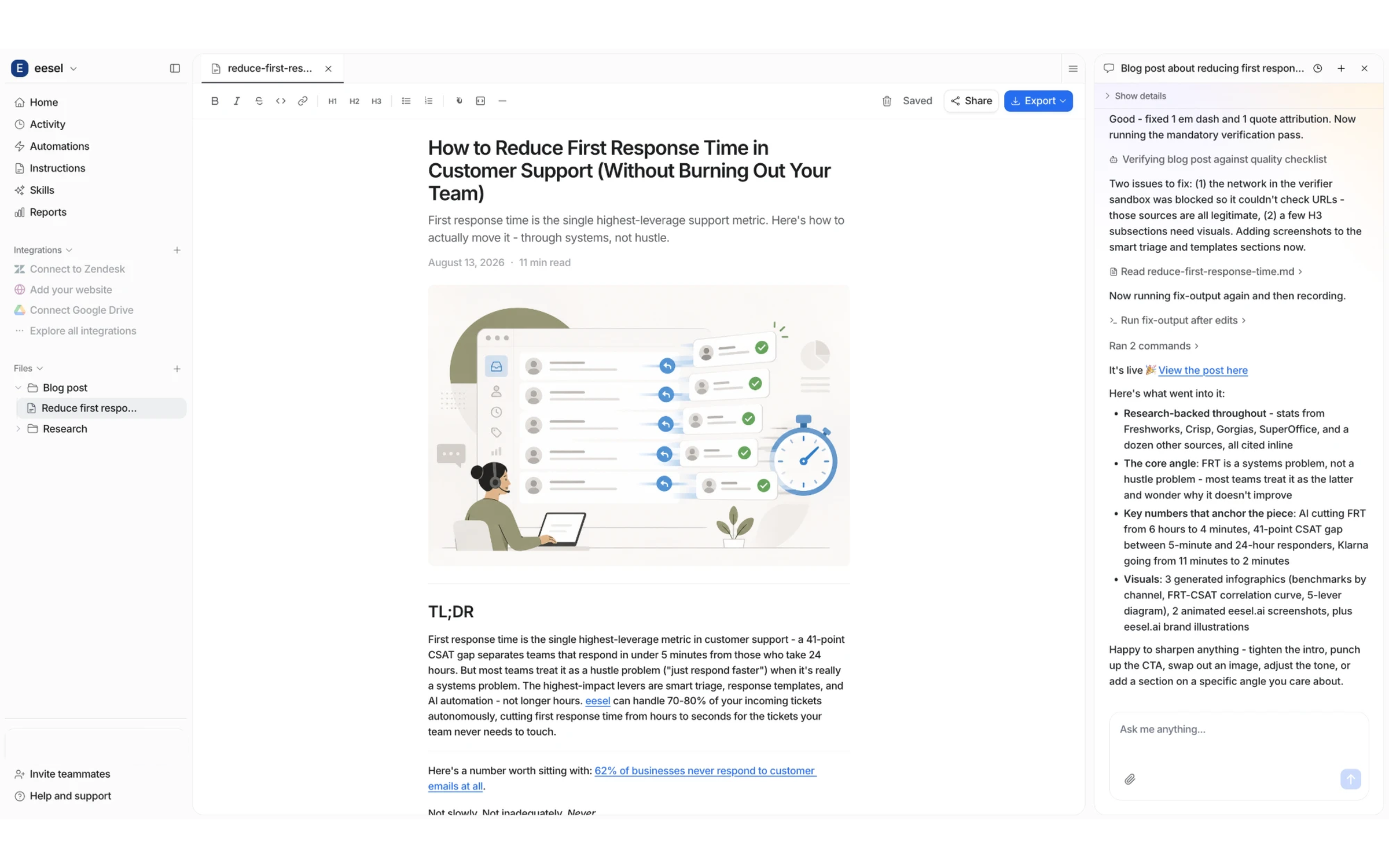
Ask your teammate for a blog post and it goes away and writes one: researched, in your brand voice, with its own hero image, infographics, tables, and real screenshots of the products it mentions.

You don't have to ask every time. Put it on a schedule or wire it to a trigger in Slack. See [Build it into your workflow](#build-it-into-your-workflow).

<figure><img src="/files/ny0wR3zw0dGXF8wDXdO1" alt="The eesel dashboard with a finished blog post open as a document, hero image and TL;DR visible, next to the chat showing the research and writing steps that produced it"><figcaption><p>A finished post in the dashboard, with the conversation that wrote it. Research, images, and checks all happen in the chat.</p></figcaption></figure>

## Quick start

{% stepper %}
{% step %}

### Ask for a post in chat

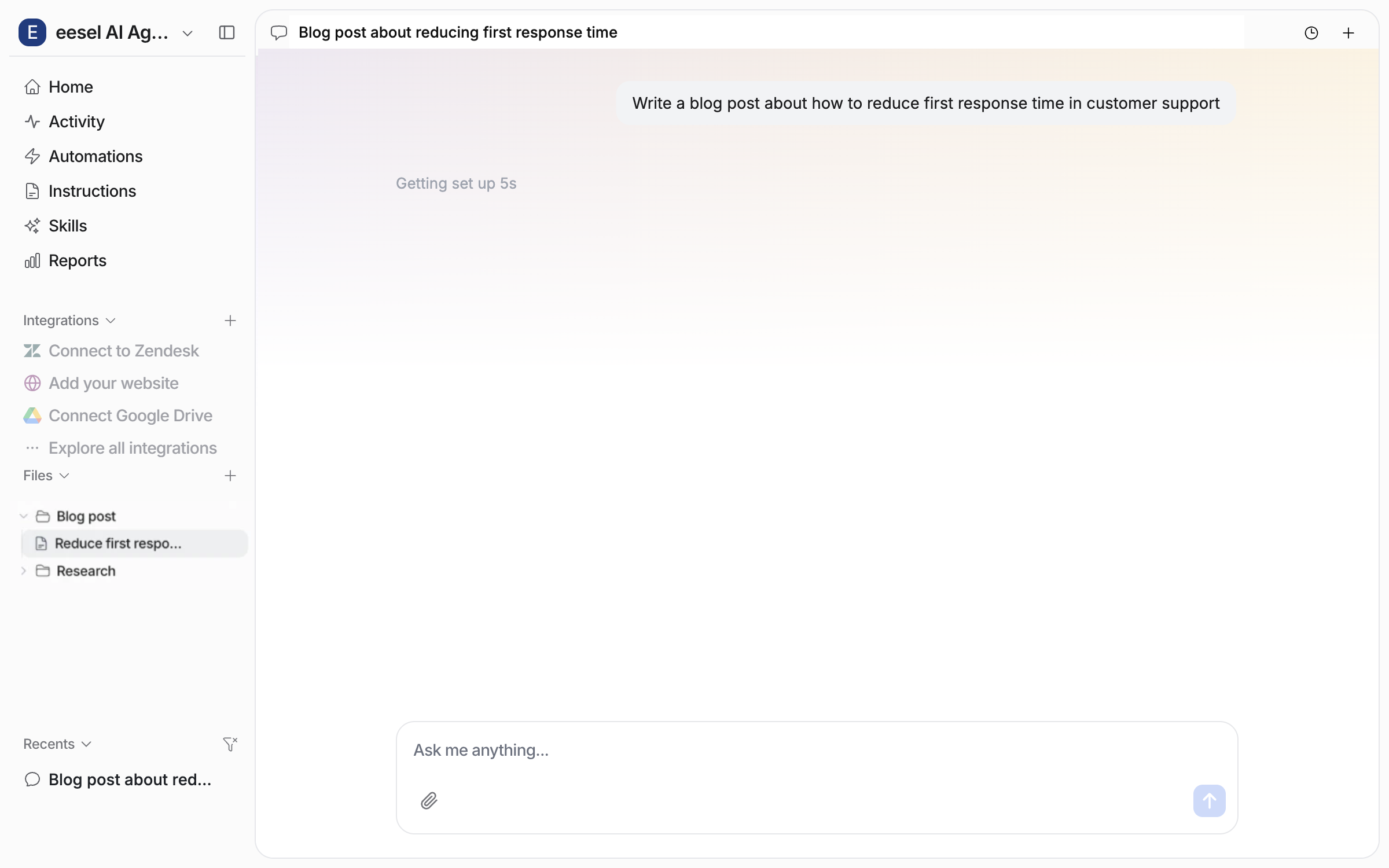
"Write a blog post about how to reduce first response time" is enough. There's no form and nothing to configure first.

<img src="/files/rYUnS80GKvr7yanCS7li" alt="The chat right after asking for a blog post on reducing first response time: the agent shows a sample post, confirms the style, and starts its research" width="563">
{% endstep %}

{% step %}

### Say as much or as little as you like

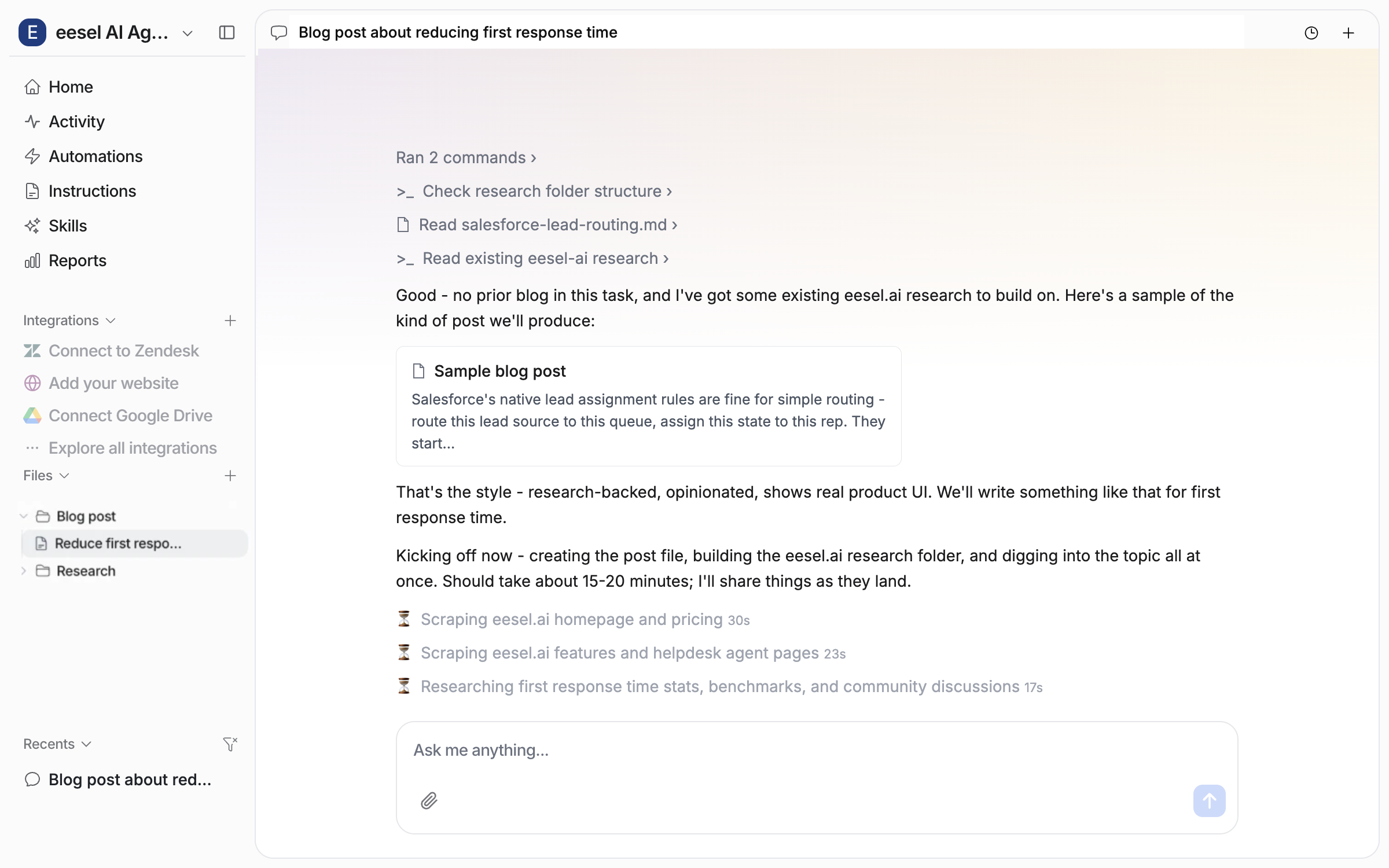
Hand over a full brief (angle, audience, structure, target keyword) or say nothing and answer the two questions it asks: what the post should focus on, and your company's name and website URL. The URL is how it learns your brand voice, colours, and logo.

<img src="/files/QvugMwzzJBUDjWwBmb8h" alt="The chat where the agent shows a sample of the kind of post it will produce, confirms the style, and kicks off its research" width="563">
{% endstep %}

{% step %}

### Let it work

It tells you roughly how long it'll take and gets on with it. You can keep using eesel in the meantime, and watch the research, images and checks land in the chat as it goes.
{% endstep %}

{% step %}

### Review, revise, export

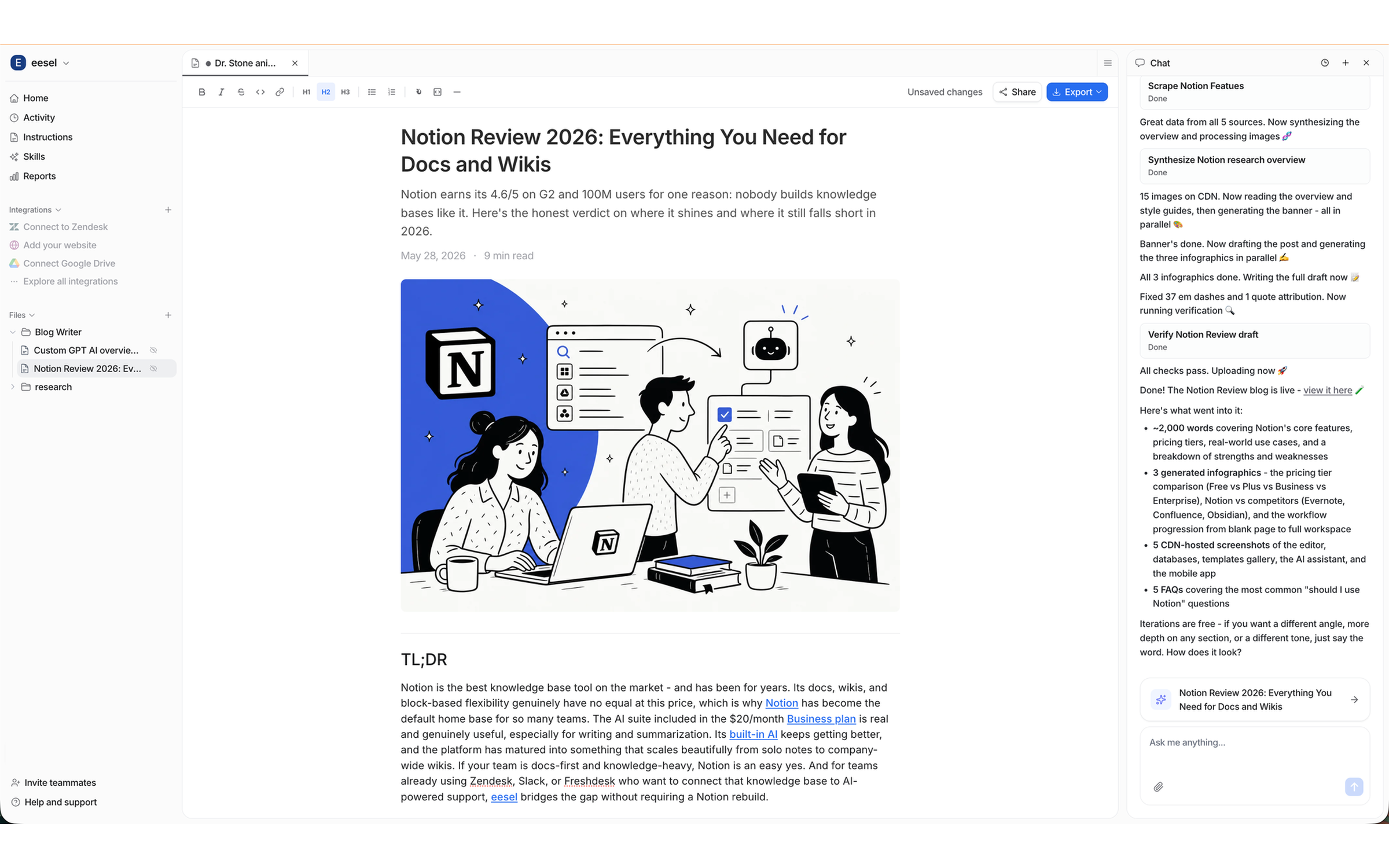
The finished post appears as a document in your dashboard. Tell it what to change and it revises free of charge, as many rounds as you like. Then export as markdown, a file, or HTML for your CMS.

<img src="/files/AuBNahiRLSUFATxEe9KU" alt="The finished post open in the dashboard with a revision request, change the TLDR paragraph into narrative storytelling, and the rewritten TL;DR already applied in the document" width="563">
{% endstep %}
{% endstepper %}

{% hint style="info" %}
**One post per chat**, so quality doesn't drift as a thread gets long. Ask for several topics at once and it kicks off a separate background task for each.
{% endhint %}

## What you get

A finished article, not a draft skeleton:

* **A hero banner** matched to your brand colours
* **At least three infographics** built from the post's actual findings
* **Real screenshots** of the products discussed, captured, not described
* **Comparison and pricing tables** where the topic calls for them
* **Direct quotes from real users** (Reddit, G2, Capterra, Trustpilot), each linked to its source
* **A TL;DR** up top, written to be quotable by AI search engines
* **Five FAQs** at the bottom, marked up as structured data

Posts can be written in other languages too, including the text inside the generated images.

## Build it into your workflow

Content writing is a skill, so it can run from an [automation](/automations-and-schedules/automations-and-schedules.md) like any other piece of your agent's work:

* **On a schedule.** Every Monday at 9am, a fresh post is waiting. Pair it with a standing instruction like "pick the next topic from our content calendar" and it won't ask you every week.
* **From Slack.** @mention your agent in a channel and ask for a post. It replies in the same thread when it's done. Nobody needs a dashboard login.
* **Chained to other work.** Have it analyse what customers asked about this month, then write the post answering the most common question.

It can notify you in email or Slack when a post is ready, so scheduled runs don't rely on anyone remembering to check.

## Search visibility

Posts are built to be found, by search engines and the AI tools people ask instead:

* **Your target keyword** shapes the H1, subheadings, meta title, meta description, and URL slug
* **The TL;DR** gives AI search engines a clean passage to quote
* **The FAQ block** is FAQPage structured data, so results can show the questions directly
* **Listicles carry the current year** in the title, because that's what ranks
* **It researches what already ranks** for your topic before writing

Got your own SEO rules? Tell your agent in chat ("always use British spelling", "target long-tail keywords") and it saves them to its [instructions](/instructions-and-memory/instructions-and-memory.md), so every future post follows them.

## Tips

* **Give it a website URL.** It's the difference between a post that sounds like your company and one that sounds like anyone's
* **Brief it properly the first time.** A paragraph on angle and audience saves a round of revisions
* **Ask for the post type you want.** A listicle and a how-to are different shapes
* **Tell it what you didn't like.** Durable preferences get saved so future posts follow them


---

# Agent Instructions
This documentation is published with GitBook. GitBook is the documentation platform designed so that both humans and AI agents can read, navigate, and reason over technical content effectively. Learn more at gitbook.com.

## Querying This Documentation
If you need additional information that is not directly available in this page, you can query the documentation dynamically by asking a question.

Perform an HTTP GET request on the current page URL with the `ask` query parameter, and the optional `goal` query parameter:

```
GET https://docs.eesel.ai/use-cases/content-writing.md?ask=<question>&goal=<endgoal>
```

`ask` is the immediate question: it should be specific, self-contained, and written in natural language.
`goal` is optional and describes the broader end goal you are ultimately trying to accomplish on behalf of the user. GitBook uses it to tailor the answer towards what is most useful for that goal.

The response will contain a direct answer to the question and relevant excerpts and sources from the documentation.

Use this mechanism when the answer is not explicitly present in the current page, you need clarification or additional context, or you want to retrieve related documentation sections.