> For the complete documentation index, see [llms.txt](https://docs.eesel.ai/llms.txt). Markdown versions of documentation pages are available by appending `.md` to page URLs; this page is available as [Markdown](https://docs.eesel.ai/getting-started/readme.md).

# Welcome to eesel

eesel AI lets you hire AI teammates that do real work inside the tools you already use: your helpdesk, your website, Slack, and email. Each teammate has a job, and you train it the way you'd onboard a new hire.

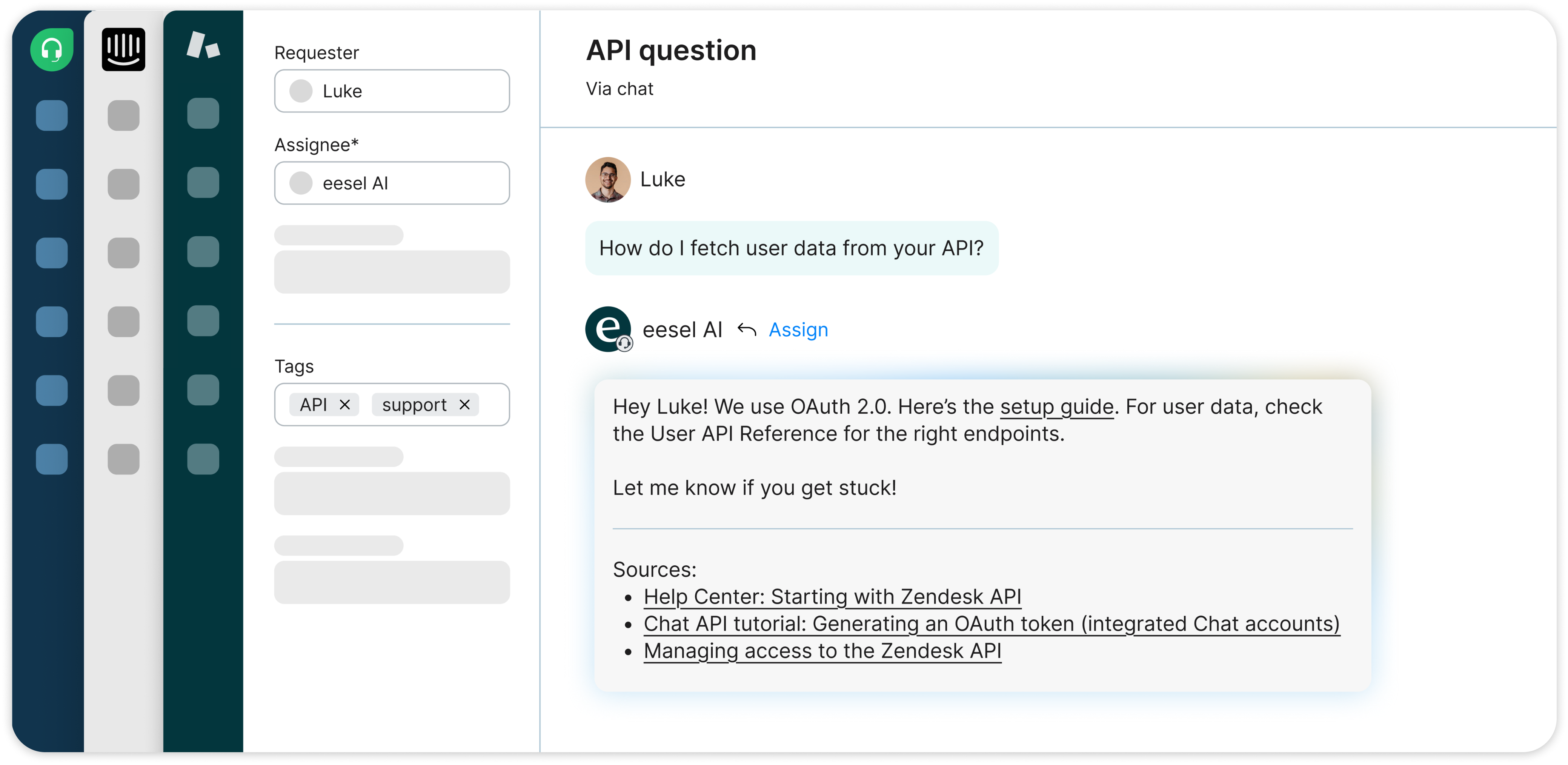
<figure><img src="/files/AgdrP7iJXKxsGhnRVd0g" alt="A support ticket assigned to eesel AI with a drafted reply and the help center articles it used, shown across Freshdesk, Intercom and Zendesk"><figcaption><p>Whichever helpdesk you use, your teammate shows up in it as a real agent and shows the sources it used.</p></figcaption></figure>

## Start by talking to it

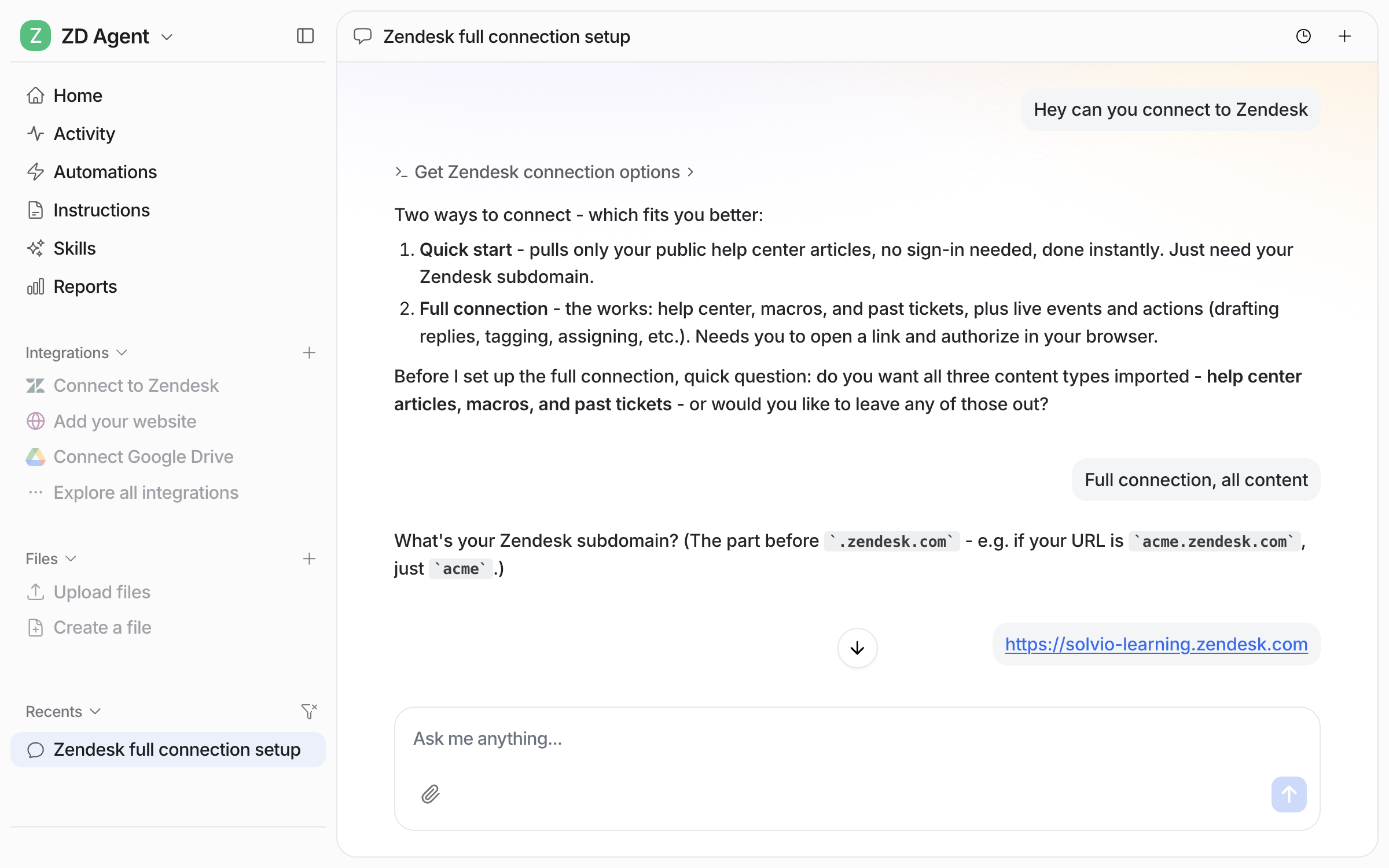
You don't configure eesel, you brief it. Open the chat, tell it what you want, and it sets itself up: connecting your helpdesk, learning your business, adjusting its own instructions when you give it feedback.

<figure><img src="/files/YP5mujrzJhB8OhVyLQli" alt="The eesel dashboard chat where the user asks to connect Slack and the agent generates a clickable Connect Slack authorization link"><figcaption><p>Setup is a conversation. Ask it to connect a tool and it hands you the link. Click, approve, done.</p></figcaption></figure>

## What makes eesel different

* **It works in the tools you already have.** A real agent in Zendesk or Freshdesk, a sender in email, a teammate you @mention in Slack.
* **It learns your business.** Connect your help center, past tickets, internal docs, and website.
* **You stay in control.** Start with every reply needing your approval, and expand what it handles on its own as it earns your trust.
* **You only pay for what it does.** No per-seat fees, no limits on integrations. See [Pricing](/pricing/overview.md).

## Pick a starting point

Most people start with one job in mind. Pick the closest and follow its quick start:

| Job                      | What it does                                                         | Guide                                                      |
| ------------------------ | -------------------------------------------------------------------- | ---------------------------------------------------------- |
| **Helpdesk**             | Resolves support tickets. Drafts or sends replies, tags, escalates.  | [Helpdesk](/use-cases/helpdesk.md)                         |
| **Content writing**      | Writes SEO-aware blog posts in your brand voice.                     | [Content Writing](/use-cases/content-writing.md)           |
| **Internal operations**  | Answers your team's questions from your docs, inside Slack or Teams. | [Internal Operations](/use-cases/internal-operations.md)   |
| **E-commerce sales rep** | Looks up orders and products, handles returns with your approval.    | [E-commerce Sales Rep](/use-cases/e-commerce-sales-rep.md) |

These are starting points, not separate products. One agent can hold more than one role and connect to as many integrations as you like. Add a second agent when you want a genuinely separate job.

## Start supervised, then hand over

1. **Test.** Chat with your agent in the dashboard. No customer impact.
2. **Review.** Let it work on real tickets, approving every reply before it sends.
3. **Hand over.** Let it handle routine work on its own while it escalates the tricky cases.

Nothing reaches a customer until you approve it, and you can pull anything back at any time.


---

# Agent Instructions
This documentation is published with GitBook. GitBook is the documentation platform designed so that both humans and AI agents can read, navigate, and reason over technical content effectively. Learn more at gitbook.com.

## Querying This Documentation
If you need additional information that is not directly available in this page, you can query the documentation dynamically by asking a question.

Perform an HTTP GET request on the current page URL with the `ask` query parameter, and the optional `goal` query parameter:

```
GET https://docs.eesel.ai/getting-started/readme.md?ask=<question>&goal=<endgoal>
```

`ask` is the immediate question: it should be specific, self-contained, and written in natural language.
`goal` is optional and describes the broader end goal you are ultimately trying to accomplish on behalf of the user. GitBook uses it to tailor the answer towards what is most useful for that goal.

The response will contain a direct answer to the question and relevant excerpts and sources from the documentation.

Use this mechanism when the answer is not explicitly present in the current page, you need clarification or additional context, or you want to retrieve related documentation sections.